Why Latency Rules Out Playing Together and What It Leaves Intact
Anyone who has tried to play duets over a video call knows the frustration of audio lag. Even fast home internet and recent hardware cannot defeat the laws of physics. The minor delays between teacher and student mean real-time playing together is not possible. The moment both people sound a note, there is a half-second stumble, then a scramble to adjust, and the music breaks down.
This limitation is not just a technical hiccup. It shapes what can and cannot happen during a remote lesson. Synchronized ensemble work, immediate musical call and response, and "repeat after me" rhythm exercises do not work online. Group classes with multiple participants especially suffer, as each added connection adds more delay and unpredictability.
That said, many essentials of one-on-one music instruction remain unaffected. Demonstrations still work, as the teacher can play a passage and the student can repeat it after hearing. Technique corrections, verbal explanations, and step-by-step instruction all translate well. Listening assignments and discussions of musical interpretation, tone, and phrasing manage fine, as the necessary back-and-forth survives outside the split-second domain. The teacher can still model good practice habits and review a student's playing in detail, even if the "together" part happens only in spirit.
Most teachers who kept hybrid formats agree: the core of teaching survives, but the feeling of musical togetherness, that shared pulse and phrase, is lost online. To keep lessons effective, the structure must shift. Teachers often send recorded accompaniments or backing tracks for students to play along with at home. Some studios encourage students to record themselves playing with the track, fostering independent listening and timing skills.
Keep reading: The Yearly Business Checklist for a Home Music Studio
Audio Settings That Change a Lesson More Than the Camera Does
The first instinct with online lessons is to fret about camera placement, but audio settings make the bigger difference. Most video platforms default to "voice optimized" settings. These aggressively filter out background noise, which often includes the instrument itself. A violin, clarinet, or even piano can trigger auto-muting or "ducking," making tone and articulation judgments almost impossible.
Turning off noise suppression and echo cancellation is the critical first step. Some platforms offer a "music mode" or "original sound" setting. This sends more accurate audio and allows the full dynamic range of the instrument to come through. Teachers and families need to be coached on enabling this every time, as platforms may reset to their defaults with each call.
Microphone choice matters too. Built-in laptop mics pick up room noise and often distort the true sound of the instrument. Affordable USB condenser microphones make a noticeable improvement, especially for instruments with wide dynamic range or complex overtones, such as saxophone or cello. Placement is key: too close and the sound distorts, too far and the room swallows up detail. Many studios recommend a handspan's distance, angled slightly to the side, not pointed directly at the f-holes or keys.
Volume levels must be checked at the start of every lesson. Teachers have developed short "sound checks" where the student plays soft and loud, and the teacher listens for distortion or dropouts. Consistently clear sound leads to better feedback and a smoother lesson, even if the camera view is less than perfect.
Camera Angles by Instrument: Hands, Bow Arm, Embouchure
Different instruments demand different camera setups. Piano teachers often ask for a side view showing both hands and the keyboard. A second device, like a phone propped on a music stand, can give a top-down view that helps spot fingerings and wrist position. Guitar and violin teachers may want the camera close to the fretting or fingerboard hand to check for tension, finger curves, or position shifts.
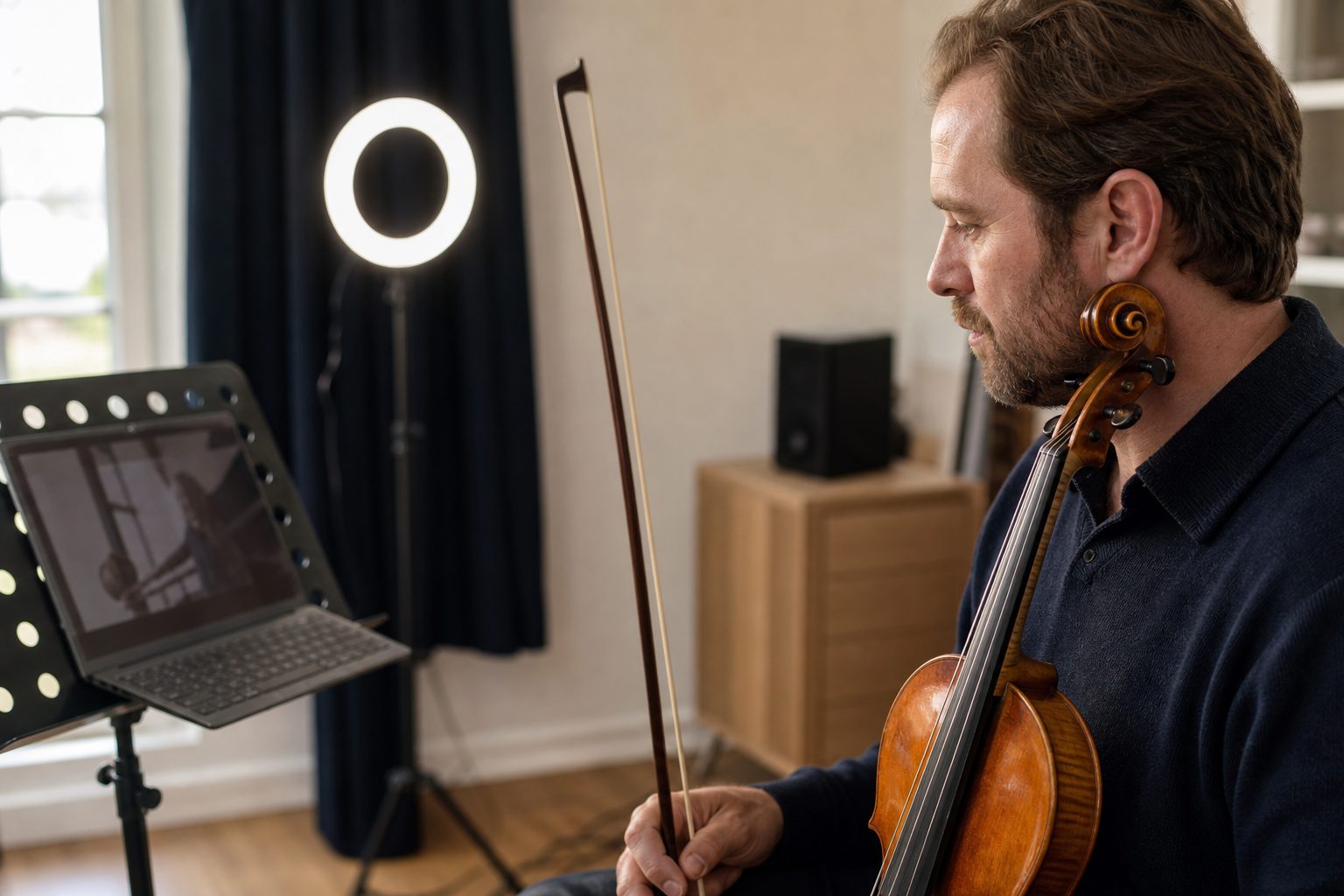
For bowed strings, the bow arm is critical. Teachers need to see the entire arc from shoulder to tip. A camera angle from the front or at a forty-five degree angle works best. If the student is using a phone, landscape orientation gives more room to see both hands.
Wind and brass teachers focus on embouchure and breathing. A close-up showing the mouth and the instrument's mouthpiece is essential. This angle helps the teacher watch for jaw tension, lip placement, and breath support. For flute, a three-quarters angle is helpful. For trumpet or clarinet, straight on often works.
Percussion and drum set lessons require a wide shot that shows both hands and feet. Some teachers ask parents to walk the camera around as the student plays, so the teacher can spot technique issues from different perspectives. A flexible tripod or phone holder is a simple solution and can be left set up between lessons.
Younger students usually need help from a parent or sibling to get the camera right and keep it steady. Many teachers send photos or diagrams in advance so families know what to aim for. Saving a screenshot of the best angle helps repeat the setup each week.
Keep reading: How to Set a Private Lesson Rate: The Cost Behind Each Hour
What Young Beginners Lose Online and What Adult Students Gain
The youngest beginners struggle the most with online lessons. Attention spans are shorter, and it is harder to keep a child focused without the physical presence of the teacher. Teachers lose the ability to point to the right spot in the music, tap gently on a shoulder to adjust posture, or step in with a quick hand rest on the violin or clarinet. Small children may get lost on the page or fidget with the camera itself. Parents become hands-on assistants, which can help or hinder depending on their comfort level.
Visual cues, which matter for reading and for engagement, are less effective on a small screen. Simple things like teaching a child to count rests or to track with a finger are harder to demonstrate. Some teachers work around this with on-screen annotation tools or by sharing marked-up PDFs, but the tactile learning is not the same. Group dynamics, peer motivation, and the excitement of "show and tell" at the end of a lesson often disappear.
For adults, the picture is different. Working professionals and college students appreciate the flexibility of remote lessons. They save time on commuting and can often fit a lesson into a lunch hour or between meetings. Technical concepts, music theory, and repertoire discussions work well online. Adults are usually comfortable troubleshooting their own camera and audio setup, and they are less likely to need physical guidance.
Many adult students report feeling more comfortable practicing in their own space. They can pull up resources, record parts of the lesson for review, and ask questions without worrying about "wasting time." Some find that the absence of in-person pressure leads to more thoughtful practice between lessons.
Hybrid Weeks: Which Lessons Move Remote and Which Never Should
Every studio that survived the last few years has a sense of which lesson formats work online and which do not. Make-up lessons for minor illness, weather disruptions, or travel are the most common switch to remote. Teachers and families like the ability to avoid rescheduling or missing a week. For many, the hybrid model is now the default for these situations.
Some lessons, though, should always happen in person. First lessons with a brand-new student, especially young children, are best face-to-face. The teacher needs to assess posture, hand shape, and instrument setup. Adjusting a chin rest, fitting a shoulder rest, or tweaking a reed cannot happen over a screen. Advanced ensemble coaching also requires physical presence. Students learning to play chamber music or piano four hands need to hear and feel each other's timing, which latency makes impossible online.
Instrument maintenance and troubleshooting also push lessons back into the studio. Diagnosing a sticky key, changing strings, or checking for a loose bridge is easier and safer in-person. Some studios set aside periodic in-person "checkup" weeks for all students, even those who take most of their lessons remotely. These visits keep instruments in good condition and help catch small problems before they become big ones.
Recital preparation often blends both formats. Teachers may run remote check-ins for technical work, but schedule in-person rehearsals for run-throughs and stage presence coaching. This hybrid approach maximizes flexibility without sacrificing the magic of live music.
See how PracticeSheet handles this for music education
Out of State Students, Time Zones and Studio Policy Language
One surprise of online teaching is the expansion of studio boundaries. Teachers now work with students across the country, sometimes across the world. This brings scheduling challenges. Time zones can create confusion, especially during daylight saving changes. Many teachers now list their lesson times in both local and "studio time," with reminders before any time shift.
Policies around attendance, cancellations, and expectations must be updated. When a student is in another state, weather closures or local holidays do not always align. Teachers have learned to spell out which calendar the studio follows, how rescheduling works, and what happens if internet outages disrupt a lesson. Some studios require a backup phone connection for audio if a video call drops.
Payment and registration processes become more complex for out-of-state students. Teachers now specify how and when payments are due, what forms of payment are accepted, and what happens if a payment is late. Tax implications may also change if the teacher works with students in multiple states, though most small studios find this manageable with careful tracking.
Communication is key. Studios send out clear welcome packets or policy documents that explain how remote lessons are run, what technology is required, and how to get help if something goes wrong. Setting expectations up front reduces frustration and keeps the focus on teaching.
Where Remote Teaching Is Heading for Small Studios
Remote teaching is here to stay, but its role in small studios is evolving. Hybrid models are now a standard part of operations. Teachers and families both appreciate the flexibility, but most agree that the best results come from blending formats rather than replacing in-person lessons entirely.
Studios are investing in better equipment: external microphones, flexible camera stands, and improved lighting. Teachers are refining their online materials, sending detailed lesson notes, and using digital assignments that track practice and progress. Many now use apps to log practice, share weekly goals, and give parents a window into what is happening between lessons.
The next step is making these systems easy to use for everyone. A tool that combines lesson notes, clear weekly assignments, and practice tracking, visible to both parent and student, helps keep the hybrid model organized and effective. This supports the teacher's work, clarifies expectations, and gives families the confidence to keep music learning strong in any format.